
Layout and styling
Position layers with ordinary CSS while keeping geometry and design controls editable in Studio.
The canvas is a fixed coordinate system. Each layer is an ordinary positioned HTML element. Store shared design rules in css; reserve inline styles for values that should be especially easy to inspect or patch.
Brand material board
A still composition combining editorial media, a palette system and deliberately aligned typography.
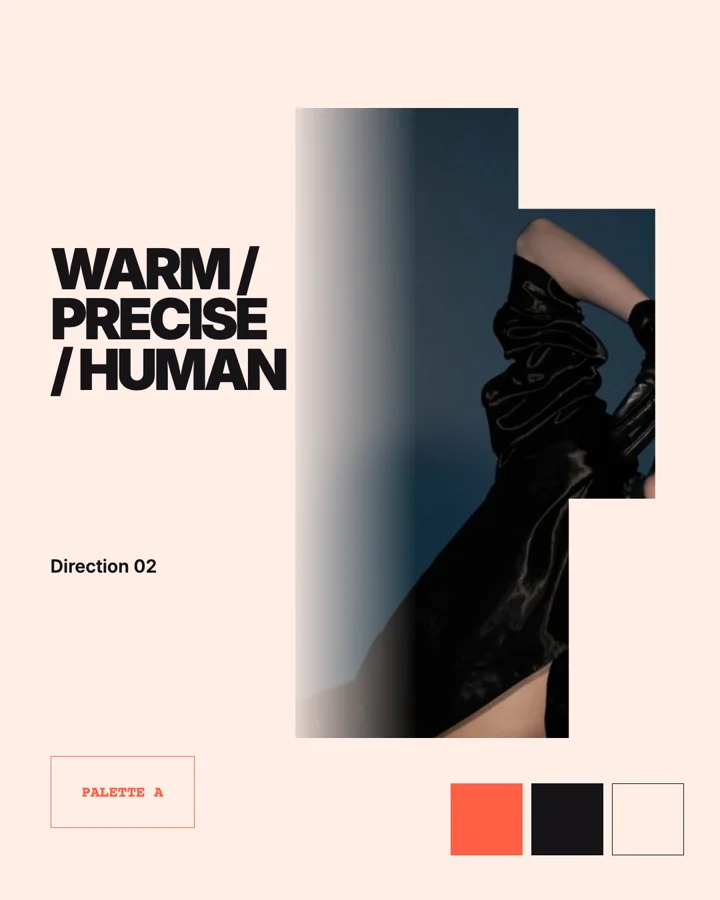
Editable layout
<section id="board" data-jc-clip data-jc-kind="group"
  data-jc-start="0" data-jc-duration="1" data-jc-track="0">
  <img id="photo" data-jc-clip data-jc-kind="image"
    data-jc-start="0" data-jc-duration="1" data-jc-track="1"
    src="jsoncut-media://media_brand_photo" alt="" />
  <h1 id="headline" data-jc-clip data-jc-kind="text"
    data-jc-start="0" data-jc-duration="1" data-jc-track="4">
    WARM / PRECISE / HUMAN
  </h1>
</section>
#board { position:absolute; inset:0; overflow:hidden; background:#ffeee7; }
#photo { position:absolute; left:70px; top:70px; width:520px; height:940px;
object-fit:cover; border-radius:32px; }
#headline { position:absolute; left:650px; top:250px; width:350px; height:420px;
display:flex; align-items:center; margin:0; color:#171418;
font:800 78px/.93 Inter,sans-serif; letter-spacing:-.05em; }Anchors and auto layout
Two attributes keep a layout intact when the format or the content changes. Both are plain CSS underneath, so the preview, the export and Studio show the same result.
Anchors say which edge a layer keeps its distance to: data-jc-anchor="<x> <y>" with start, center or end on each axis. An end layer is written with right/bottom instead of left/top; a centred one with equal insets and margin:auto. Lengths may be % of the parent or vw/vh of the canvas. Studio shows the anchor as the pinned sides of the layout picture, and a format change keeps the layer at its edge.
<div id="logo" data-jc-clip data-jc-kind="image" data-jc-anchor="end start"
  data-jc-start="0" data-jc-duration="6" data-jc-track="3"
  style="right:48px;top:40px;width:180px;height:64px" src="jsoncut-media://logo"></div>
Auto layout turns a group into a column (or a row) whose layers flow with an even gap: data-jc-layout="stack". Its children need no left/top; a longer text pushes the layers after it along, and a layer a template field hides closes the gap. A layer that has not appeared yet keeps its place, so nothing jumps when it enters. Animate stack children with text effects, opacity or scale rather than position keyframes.
<div id="offer" data-jc-clip data-jc-kind="group" data-jc-layout="stack"
  data-jc-start="0" data-jc-duration="6" data-jc-track="2"
  style="left:96px;top:420px;width:720px;height:420px;gap:28px;align-items:flex-start">
  <div id="claim" data-jc-clip data-jc-kind="text" data-jc-start="0" data-jc-duration="6" data-jc-track="1"
    style="width:720px;height:180px;font:800 72px/1 Inter,sans-serif">Ten minutes, not three days</div>
  <div id="cta" data-jc-clip data-jc-kind="shape" data-jc-start="0.4" data-jc-duration="5.6" data-jc-track="2"
    style="width:280px;height:72px;border-radius:36px;background:#ff6b35"></div>
</div>
Through MCP, patch_clip sets both: {"anchor": {"x": "end", "y": "start"}} pins a layer where it is, {"stack": {"direction": "column", "gap": 28, "align": "start", "justify": "start"}} turns a group's auto layout on and {"stack": null} off (every layer keeps its place).
Deliberate choices that the layout checks would flag can be declared per layer: data-jc-allow="bleed" (big type running off the frame), overlap (text layered on text) and occlusion (a layer meant to cover text). The checks then skip that layer for that kind of finding.
Supported visual controls
- position, size, rotation, radius and opacity;
- flex/grid layout inside HTML and group layers;
- font family, size, weight, line height, letter spacing and wrapping;
- horizontal and vertical text alignment;
- solid and multi-stop gradient fills;
- per-side borders, shadows, blur, brightness, saturation and hue;
object-fit, crop and object position for media.
Use explicit width and height for text that may be replaced by a variable. Center text with display:flex, align-items and justify-content when it must remain centered inside a badge or button.
Property guide
| Concern | Public source | Notes |
|---|---|---|
| Position and size | left, top, width, height or equivalent CSS layout | Studio resolves numeric geometry for direct manipulation |
| Rotation and opacity | transform, opacity | Time-based changes belong in data-jc-animation |
| Text | font family, size, weight, line height, letter spacing, alignment, white space | Keep replacement bounds explicit |
| Media crop | object-fit, object-position and Studio crop data | Preview every aspect variant |
| Border | width, color, style and individual radii | Property bindings support width, color and each radius |
| Image filters | blur, brightness, saturation and hue | All four can be animated; brightness, saturation and blur stay non-negative |
| Fill | CSS color or supported deterministic gradient | Palette references include a literal fallback |
Deterministic CSS
The project rejects document-level tags, executable elements, inline event handlers, JavaScript URLs, CSS imports and browser-specific executable CSS. Pin media through the media API instead of loading an undeclared remote dependency from CSS.
Layout can use flex and grid inside the fixed canvas. The final output still has a known pixel size, so test long text and narrow aspect variants rather than relying on a browser viewport outside the canvas.